
Keyboard Slide 1 Speed PC and Mobile Controls
WASD, Space, mouse camera, E to buy, on-screen stick, jump timing, creamy clicks, and what a fall actually resets.
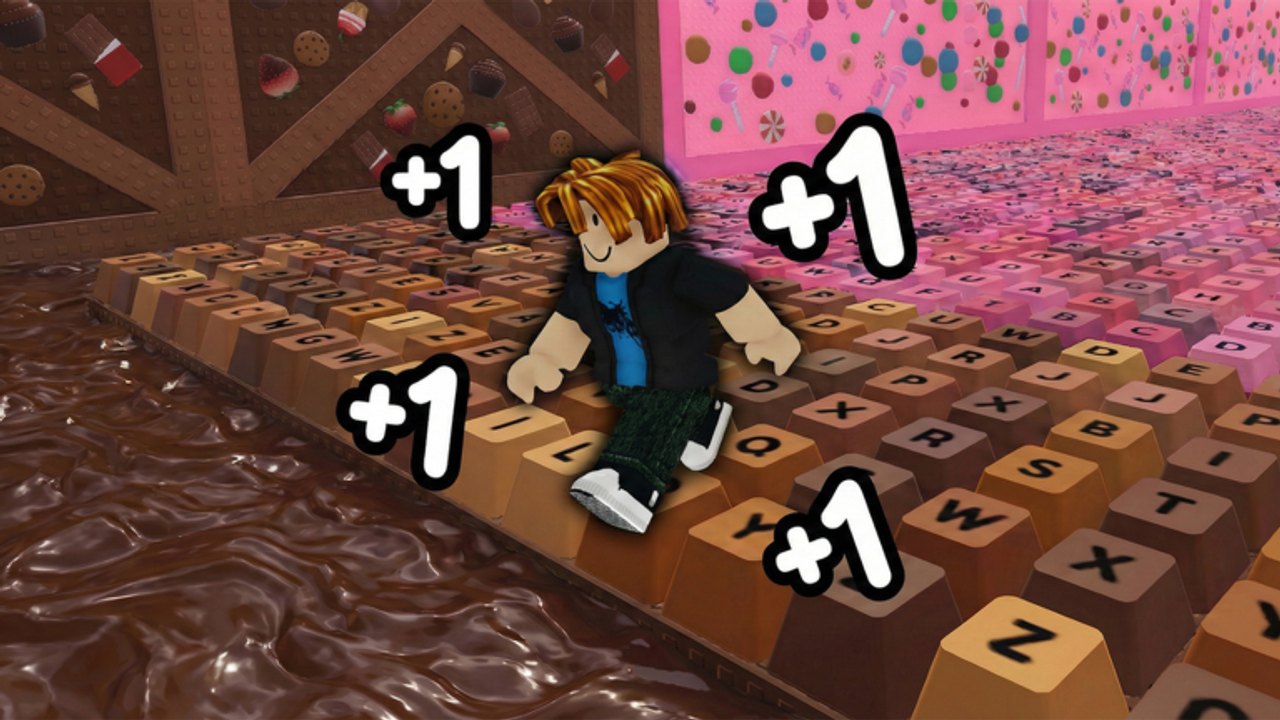
Keyboard Slide 1 Speed is a movement game wearing an incremental loop. Bad camera and late jumps cost more Speed than a missed code. This page is the input list, the high-speed jump problem, sound packs, and the fall rule. Pair it with the Stages Walkthrough when a maze or boss is the thing you keep missing, and with Getting Started if you have not set the lobby yet.
The experience is live on Roblox, 22 players per server, and friends can race the same candy keyboard. Controls do not change because someone else is faster. They change because your Speed multiplier just jumped and the keys are now a blur.
PC inputs
| Action | Input |
|---|---|
| Move | WASD |
| Jump | Space |
| Camera | Mouse |
| Purchase | E |
Browser ports of the same experience list the same four actions. If E does nothing, look at the digit button or shop prompt until the purchase highlight is actually selected. WASD is always relative to the camera, so a wild mouse makes “forward” mean off the key. Slow the camera before you blame the stage.
Hold W for the long candy runs. Add A and D for Stage 10 strafes and for any boss that wants left-right motion. Jump is a tap, not a hold, once Speed is high. A held Space at x100 is how you sail over a key you meant to land on.
Mobile inputs
Mobile uses the on-screen stick for movement and the on-screen jump button for Space. Camera drag replaces the mouse. Purchases still use the on-screen E / interact prompt. Thumb drift on the stick is the mobile version of a wild mouse: you walk off the left edge of a key you could have held. Park the stick in a smaller circle than you think you need, especially on World 2 neon keys and World 3 lollipops.
If you swap from mobile to PC mid-account, your Speed stack stays. Only the muscle memory changes. Do a Chocolate treadmill refill while you relearn jump timing instead of diving into a maze cold. The Treadmills Guide is a safe place to stand while your fingers catch up.
Jump timing at high speed
Low Speed jumps can be late and still land. High Speed jumps must be early. After Rebirth 11 (x100) and later zeros, the keyboard moves under you faster than the jump animation feels. Tap Space before the gap looks ready. If you keep overshooting, you are holding Space or jumping too late into a rising Speed total.
Strafe during the jump on bosses. Stage 10 around level 70 is the first real test: left-right while moving forward, no pause. Stage 14’s U-key dodge is a directed jump, not a panic Space mash. World 2 Teddy and World 3 lollipop bosses fail you if you stop to “time” the hit. Run through, jump early, keep WASD alive.
After a rebirth the first thirty seconds feel slippery even on stages you already cleared. That is the refill, not a broken bind. Walk a known World 1 pad or stand on Chocolate until the new multiplier fills enough Speed that the keys feel wide again.
Sound packs
Open settings and pick a creamy click pack. Keyboard Slide 1 Speed uses keycap audio as a landing cue. If you play muted, you lose the click that says the jump actually connected. Creamy clicks are the default recommendation because they stay readable at high step rates without turning the lobby into noise. Unlock extra sound packs if you want; they are audio, not Speed. Do not spend Wins on sound while Green Trail is still locked.
Sound also helps AFK awareness. A treadmill click pattern tells you that you are still on the pad. Silence often means you walked off Chocolate and have been idle on the lobby floor.
What a fall actually resets
Falling off a key resets the current run Speed. It does not reset rebirth count, owned trails, owned auras, Wins, digit purchases, or the fact that you already liked the game. Climb back on and the account is the same. The only thing you lost is the Speed you had built since the last fall or rebirth refill.
That rule is why panic after a Stage 12 miss is wasted. Take Right-Right-Right-Left again. The maze did not delete Green Trail. If falls keep happening, fix camera and jump timing before you buy a teleport. Teleports spend Wins. Wins buy the stack that makes the next attempt slower to fail.
Race friends once the binds feel boring. Keyboard Slide 1 Speed is more fun as a 22-player race when nobody is fighting their own mouse. Set creamy clicks, tap jump early, and treat a fall as a run reset — never as an account reset.
Frequently Asked Questions
Quick answers to the most common Keyboard Slide 1 Speed questions.
What are the Keyboard Slide 1 Speed controls on PC?
WASD to move, Space to jump, mouse to look, E to purchase. Browser ports list the same four actions.
How do I play on mobile?
Use the on-screen stick to move, the jump button for Space, drag for camera, and the interact prompt to buy. Keep the stick travel small at high Speed.
Does falling off the keyboard delete my progress?
No. A fall resets current run Speed only. Rebirths, trails, auras, and Wins stay. Climb back on and continue.
Why do I keep missing jumps after a rebirth?
High Speed needs an earlier Space tap, not a longer hold. Slow the camera, jump before the gap looks ready, and refill on a treadmill if the keys still feel like ice.
Are sound packs required?
They do not raise Speed, but creamy clicks tell you when a landing connected and when you walked off a treadmill. Turn one on in settings before you blame the stage.